Beyond the Flakiness: Why Maestro is the Future of Mobile UI Testing
As a software architect who has spent years wrestling with the “Big Three” of mobile automation—Appium, Espresso, and XCTest—I’ve seen it all. I’ve seen CI pipelines turn into a sea of red because of a missing Thread.sleep(). I’ve seen talented engineers spend 40% of their sprint just maintaining a brittle testing infrastructure.
Mobile testing has historically been the “final boss” of QA. It’s hard, it’s slow, and it’s notoriously flaky.
But then came Maestro.
The Philosophy of “Less is More”
Maestro is an open-source UI testing framework for mobile (iOS, Android, Flutter, React Native) that fundamentally changes the developer experience. Instead of writing complex Java, Swift, or JavaScript code to interact with a UI, Maestro uses a declarative YAML-based approach.
At first, some veterans might scoff. “YAML? Where’s the power of a programming language?” But that’s exactly the point. UI testing should be about describing user flows, not debugging a test runner.
1. No More Flaky Waits
One of the biggest pain points in mobile automation is synchronization. Is the button ready? Has the network call finished? Maestro handles this out of the box. It doesn’t just “click” on a coordinate; it intelligently waits for the UI to be in a stable state. No more explicit sleep() calls that slow down your suite.
2. Single Binary, Zero Drama
If you’ve ever spent a whole afternoon trying to match the right version of Appium Server, WebDriverAgent, and Xcode, you’ll appreciate Maestro’s simplicity. It’s a single binary. You install it, you run it. It works.
3. Cross-Platform by Design
Whether you’re building a native Android app or a complex Flutter cross-platform solution, Maestro treats them the same. You write one flow, and with minor adjustments, it can run across both ecosystems.
What Does a Maestro Flow Look Like?
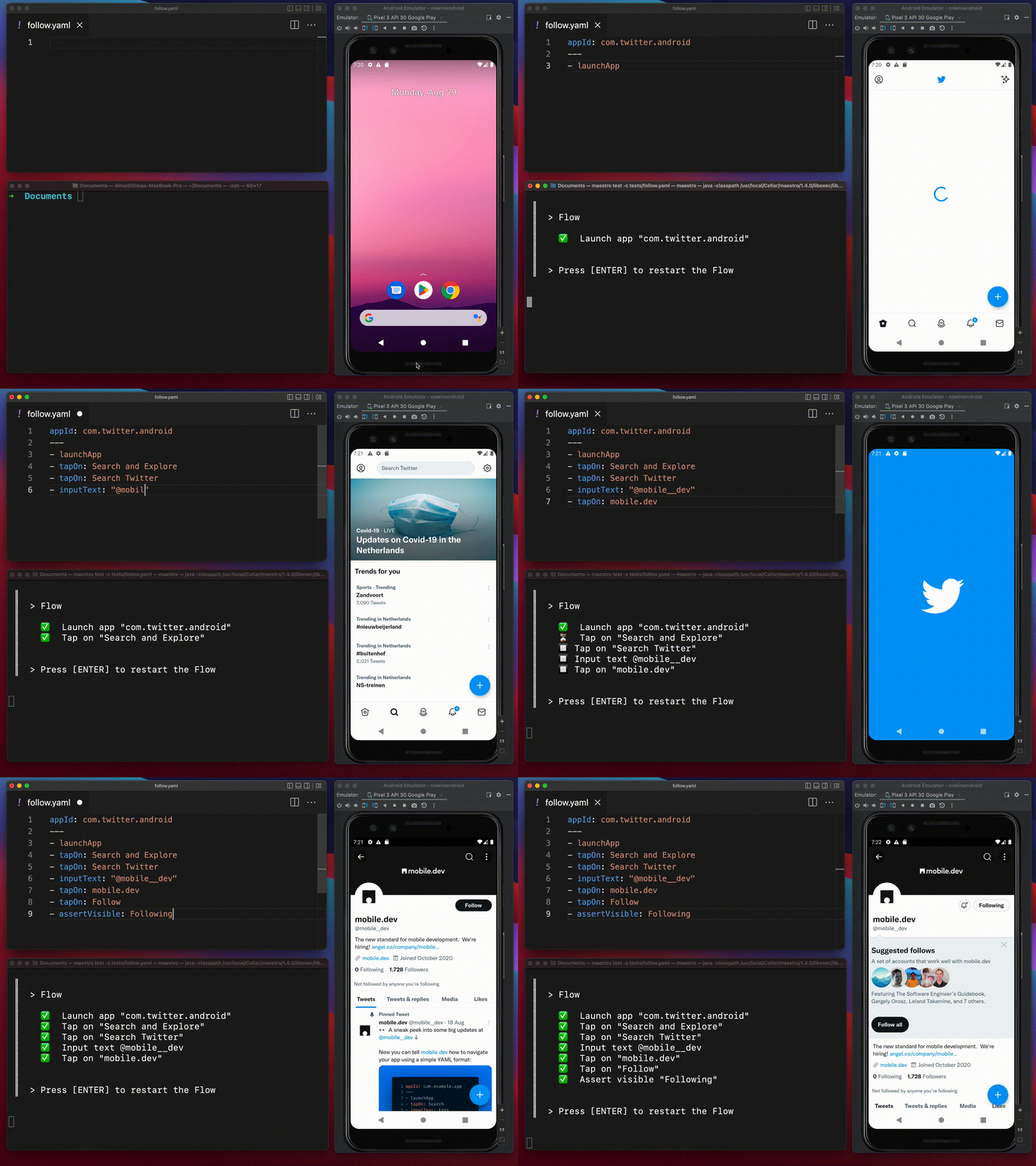
Forget the boilerplate. This is how you define a login test in Maestro:
appId: com.example.myapp
---
- launchApp
- tapOn: "Email"
- inputText: "tester@example.com"
- tapOn: "Password"
- inputText: "password123"
- tapOn: "Login"
- assertVisible: "Welcome back!"
That’s it. It’s readable by product managers, developers, and QA engineers alike. This transparency bridges the gap between technical and non-technical stakeholders.
Advanced Tooling: Studio and Cloud
Maestro isn’t just a CLI; it’s an ecosystem:
- Maestro Studio: Think of it as Chrome DevTools for your mobile app. It opens in your browser, lets you click around the app, and automatically generates the YAML for you. It’s a massive productivity booster for initial test creation.
- Maestro Cloud: For enterprise-grade scaling, Maestro Cloud allows you to run your flows on real devices in parallel, integrating seamlessly into your GitHub Actions or GitLab CI pipelines.
The Architect’s Verdict
Is Maestro perfect? No tool is. If you need highly complex logic inside your test (like performing a heavy database migration mid-flow), you might still reach for a code-heavy framework.
However, for 95% of UI automation needs—sanity checks, regression testing, and user journeys—Maestro is significantly faster to write, easier to maintain, and more reliable than the alternatives.
If your team is currently drowning in Appium maintenance or struggling to get developers to write UI tests, give Maestro a shot. It might just be the most “painless” mobile automation experience you’ll ever have.